LeyonFault Resource Pack for 26.4 – 1.21.11 (Polished Visuals)
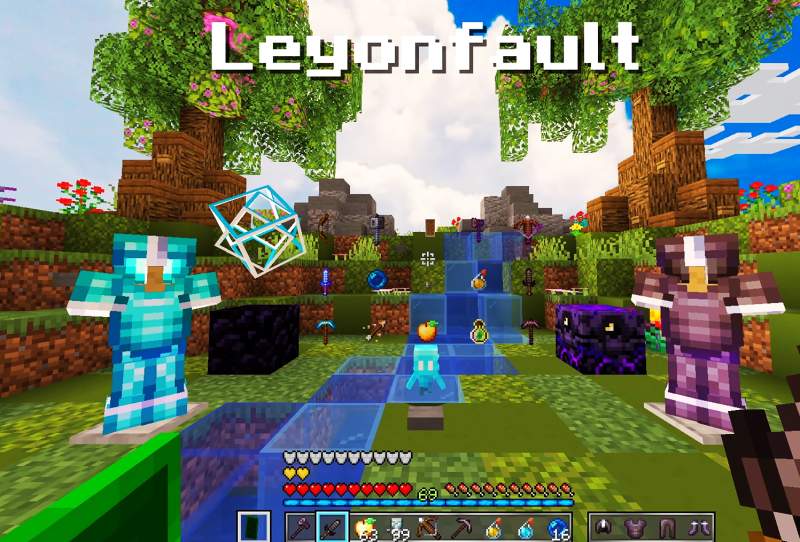
LeyonFault Resource Pack 26.4 is a clean and lightweight Minecraft Resource Pack. It was built to elevate your visuals without breaking the vanilla feeling in your world. It has also optimized for peak performance, it delivers polished textures and refined item models that keep your game looking sharp. Whether you are grinding Survival, dominating PvP, or hanging out on multiplayer servers This Resource Pack was developed by the Ripluffy437.
Whether you are engaging in high-stakes PvP combat, embarking on long Survival adventures, or building on public multiplayer servers, LeyonFault provides maximum visual clarity where it matters most. LeyonFault bridges the gap between classic visuals and modern gameplay enhancements, giving your world a crisp, refreshed look without sacrificing the nostalgic feel of the original game.
LeyonFault Resource Pack Updates for 26.4:
-
🎨 Clean Textures: Crisp, high-clarity 16x visuals that elevate the base game.
-
⚔️ PvP-Ready: Streamlined, low-clutter designs built for fast-paced combat.
-
🗡️ Custom Models: Modernized weapons, tools, and item assets.
-
🖥️ Refined GUI: Sleek, easy-on-the-eyes interface and inventory screens.
-
🚀 Peak Performance: Lightweight optimization engineered for maximum FPS.
-
🌿 Vanilla Aesthetic: Stays true to Minecraft’s original style and color palette.
-
🎮 Universal Compatibility: Optimized for Survival, Competitive PvP, and Multiplayer servers.
Images:
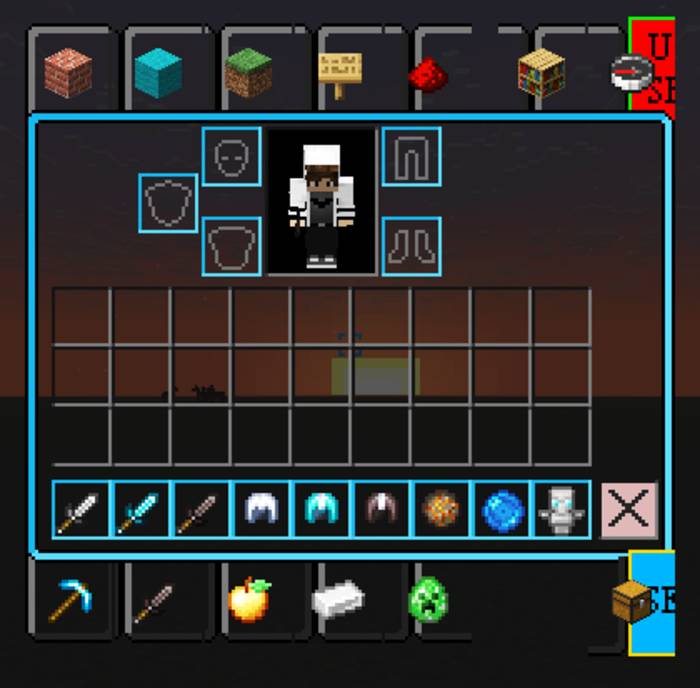
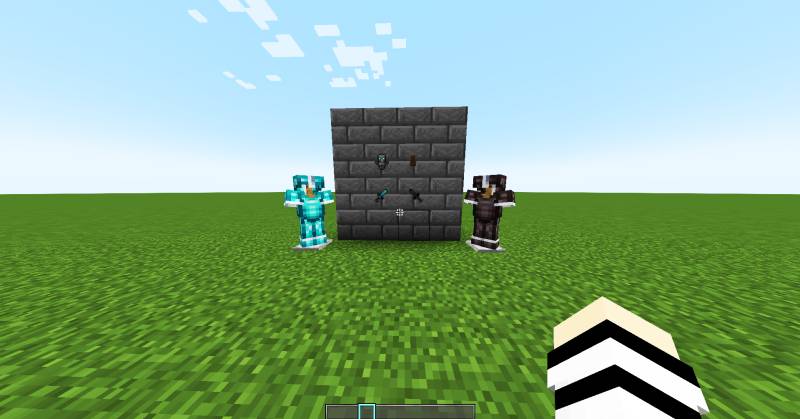
LeyonFault Resource Pack 26.4 – 1.21.11 Download:
For Minecraft 1.21.11:
- LeyonFault
- Developer: Leyon-Fault
How to Install This Resource Pack:
- Few steps for the Installation for this Resource Pack.
- Download this Resource Pack.
- You will get a .zip file for this Resource Pack.
- You will have to open the %appdata% folder.
- Then you will have to go to .minecraft folder.
- You will have to go to Resource Pack Folder.
- Move the downloaded .zip file into that folder.
- After it then you will have to run Minecraft after placing the .zip file.
- Then You will have to Open Minecraft.
- Have fun.
Note:
We do Recommend you to Download and install OptiFine HD to enhance your gaming experience with Shaders.
Disclaimer:
We also do try to take very good care of the links that will be available here. But sometimes some developers of the Original download links remove their links from the Third Party websites. In that case we will need some assistance from the users in this regard. Please Inform us If you do find some broken links or content in the comments section below. We will try to give you the working links as soon as we can, We are updating these Resource packs regularly and If you do find some broken, fake or any links that will have virus or deleted ones, Kindly let us know in the comment section. We do try to give all the genuine links for every contents that are available here.